Dotfile Templater
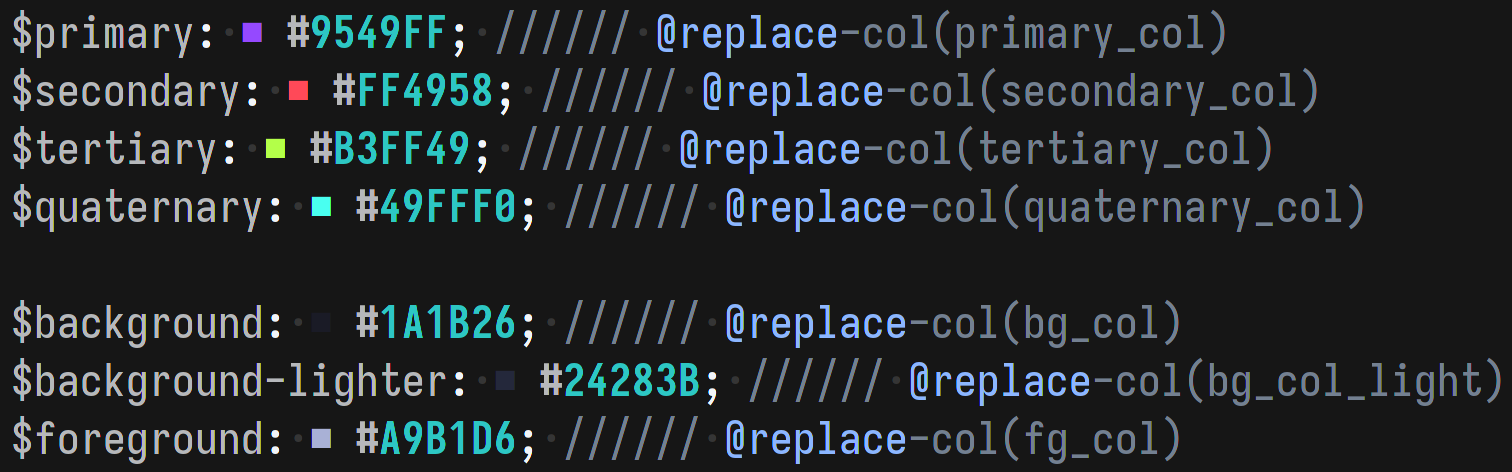
A program which acts on a minimal templating language which can replace parts of the config, based on a provided pattern.
The templating language is written within commented code, on the same line that it will act upon.
For each file which will be acted on, a marker_char is defined within the TOML config.
When marker_char is repeated marker_repetition_num times, the text after this point will be parsed as a list of the templating functions.
To ensure safe replacing, the templater will only replace text with text of the same length, this ensures that only the correct part of the file is modified.
Each function usually acts on the first match for its pattern; if there are multiple consecutive functions on a line, each function acts on its nth match, based on its order relative to the first function on the line.
Config text which matches the provided pattern is replaced by a keyword.
keyword-
A string that will replace the matched pattern.
-
A variable in the TOML config, which holds a string that will replace the pattern.
Function Usages
| Function | Arguments | Description | |
|---|---|---|---|
@replace |
keyword pattern |
Replace first text which matches pattern with the keyword. |
|
@replace‑col |
keyword |
Replace first text which matches #[A‑Za‑z\d]{6} with the keyword. |
|
@replace‑pattern |
pattern_1 keyword pattern_2 |
Find first text which matches pattern_1, then find first match within this match based on pattern_2 and replace that with the keyword. |
|
@replace‑pattern‑col |
keyword pattern_2 |
Find first text which matches #[A‑Za‑z\d]{6}, then find first match within this match based on pattern and replace that with the keyword. |
TOML Config
The config file is located at $XDG_CONFIG_HOME/dotfile-templater/config.toml
marker_repetition_num can be optionally defined to adjust how many marker_char need to be placed before template code, its default value is 3.
Each file in files can be relative to the .config folder, or an absolute path.
Every object in files must have a marker_char defined, so that the templating code can be found.
Themes can be defined in the themes section, every theme must include name, but all other variables can have any name, so long as it is consistent across your themes.
theme = "purple-night"
marker_repetition_num = 3
files = [
  {file = "eww/eww.scss", marker_char = "//"},
  {file = "eww/bar/bar.yuck", marker_char = ";"},
  {file = "wofi/style.css", marker_char = ";"},
  {file = "hypr/hyprland.conf", marker_char = "%"},
]

[[themes]]
name = "purple-night"

primary_col = "#9549FF"
secondary_col = "#FF4958"
tertiary_col = "#B3FF49"
quaternary_col = "#49FFF0"

bg_col = "#1A1B26"
bg_col_light = "#24283B"
fg_col = "#A9B1D6"

[[themes]]
name = "blue-bannana"

primary_col = "#48FFD1"
secondary_col = "#4876FF"
tertiary_col = "#FF4876"
quaternary_col = "#FFD148"

bg_col = "#0A0A40"
bg_col_light = "#11116C"
fg_col = "#9999F8"
Test.conf
This test file shows the functions in action within a test configuration file.
test = This wont be configured % Even if there are comments

$primary: rgb(9549FF); %%% @replace-pattern('rgb\([A-Za-z\d]{6}\)', primary_col, '[A-Za-z\d]{6}')
$secondary: #FF4958; %%% @replace-pattern-col(secondary_col, '[A-Za-z\d]{6}')
$tertiary: #B3FF49; #123456; %%% @replace-col(fg_col) @replace-col(bg_col)
$quaternary: #49FFF0; %%% @replace-col(quaternary_col)

$background: #1A1B26; %%% @replace-col(bg_col)
$background-lighter: #24283B; %%% @replace-col(bg_col_light)
$foreground: #A9B1D6; %%% @replace-col(fg_col)