Raymarch Bevy
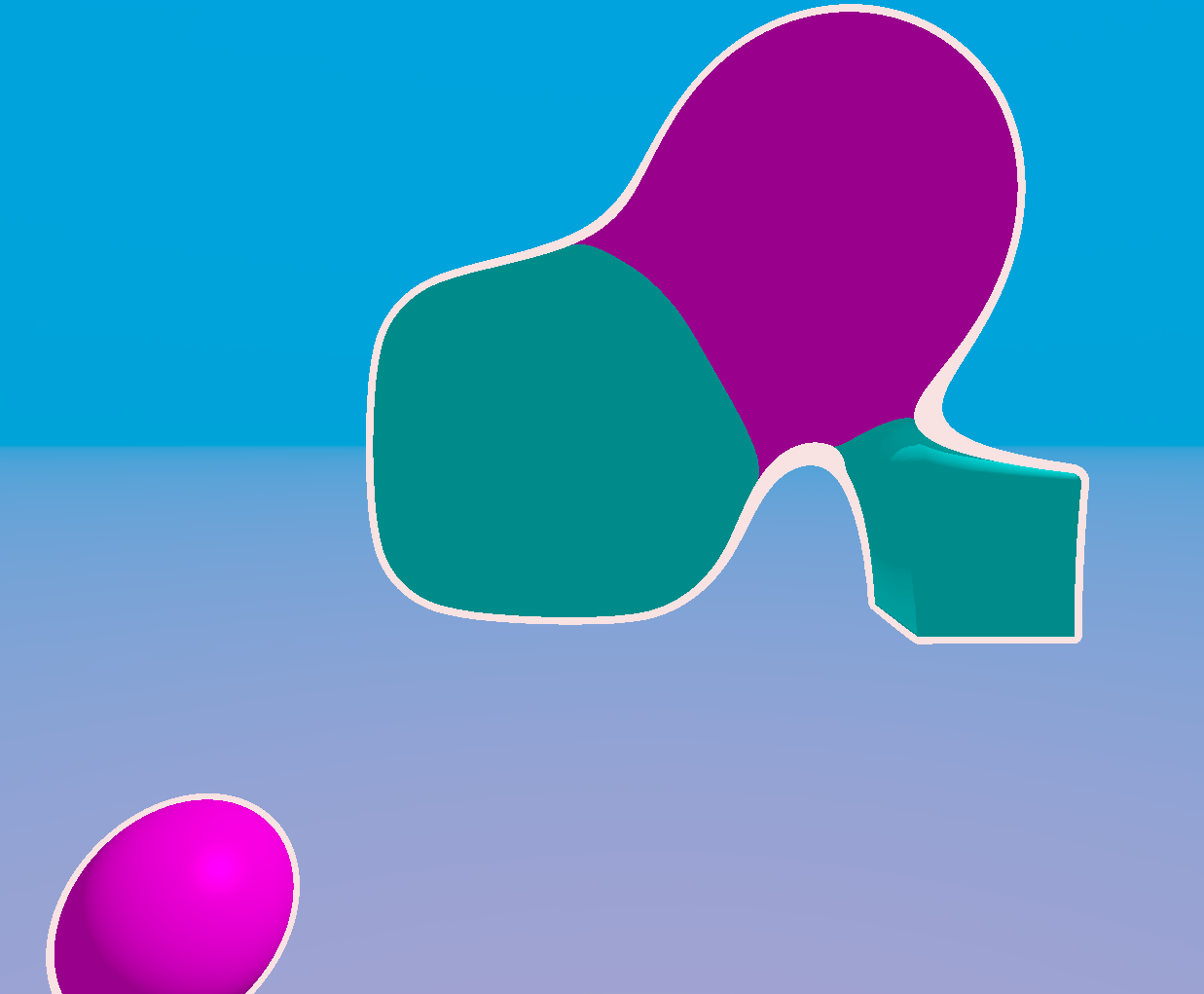
Using Bevy, a custom shader material is applied to a rectangular texture which is resized to the full screen size whenever the window is changed.
The shader material accounts for the screen width, so textures are not stretched when differernt window sizes are provided, only the aspect ratio changes.
There is a camera controller which can be moved with mouse and keyboard, and it includes moving faster when holding the shift key.
Shape Struct
| Shape Variable | Type | Possible values | Description | ||||||||||||
|---|---|---|---|---|---|---|---|---|---|---|---|---|---|---|---|
shape_type |
u32 |
|
Defines the type of shape which will be drawn. Portals are currently not working, but the hope is that the rays will be able to traverse them as if they don't exist in the SDF, and will instead return the distance to the objects on the other side of the portal. | ||||||||||||
pos |
Vec3<f32> |
World-space position of this shape. | The position of this shape (Used to offset the SDF). | ||||||||||||
size |
Vec3<f32> |
Allows positive f32 values. Negative values also sometimes work, but can lead to undefined behaviour. |
The 3D scale of this shape (Used to scale the SDF). |
Shape Material
| Material Variable | Type | Possible Values | Description | ||||||
|---|---|---|---|---|---|---|---|---|---|
shapes |
Vec<Shape> |
A vector with all the shapes which will be drawn in the scene. | |||||||
union_type |
u32 |
|
Defines whether the shapes will be shown by taking the smooth minimum of all shapes, or the regular maximum. | ||||||
smoothness_val |
f32 |
Larger values mean that the shapes will be smoothed together from a greater distance. Negative values cause shapes to become inside out. | Used when the smooth minimum union_type is selected, combines the shapes by smoothing their SDFs. | ||||||
light |
|
A starting position for the scene's light, and its colour in normalised [0-1] rgb values. | Defines the information about the scene's lighting, which will be used in the shader to adjust the colour of scene objects. | ||||||
camera |
|
pos defines the world-space position of the camera.
Zoom defines the field of view.
rotation is a quaternion matrix.
forward, right, and up define the axes of the camera, and are all orthogonal.
|
Provides information about the camera, which is rotated using mouse controls and translated using keyboard controls. The control scheme is a fly camera setup, similar to flying movement in many games. | ||||||
time |
f32 |
Values above 0.0 | The amount of time (in seconds) which has elapsed since the rendering began. | ||||||
shapes_len |
u32 |
Positive Integers | The amount of shapes which will be rendered from the shapes Vec. |
Fragment Shader
The co-ordinates are scaled so that changing the aspect ratio of the window doesn’t stretch the outputted image. The ray-marching loop is completed, and the resulting point which the ray has collided with is calculated. The lighting of the scene at this point is calculated, and the final colour is gamma corrected.
@fragment
fn fragment(in: VertexOutput) -> @location(0) vec4<f32> {
    let coords = centre_and_scale_uv_positions(in.position.xy, view.viewport.zw);
    let camera_pos = material.camera.pos;

    let ray_dir = get_ray_dir(material.camera, coords);
    let get_dist_input = GetDistanceInput(material.union_type, material.smoothness_val, material.time);

    let ray_march_out = ray_march(camera_pos, ray_dir, get_dist_input);

    let point_on_surface: vec3<f32> = camera_pos + ray_dir * ray_march_out.dist;
    let light_strength = get_light(point_on_surface, -ray_dir, material.light.pos, get_dist_input);

    var colour: vec3<f32> = ray_march_out.object_colour * material.light.colour * light_strength;

    // Gamma correction
    let gamma = 2.2;
    colour = pow(colour, vec3<f32>(1.0 / gamma));

    return vec4<f32>(colour, 1.0);
}
Ray March Loop
The ray checks the distance to the closest object, and marches forward that distance, this continues until either the ray has collided with a shape, or the maximum distance/steps have been reached. The closest distance reached is remembered so that outlines can be given to pixels where the ray has missed the an object by a small amount. If the ray neither collided with a shape nor went sufficiently close to a shape, then a background colour, which is a mix of the sky and bottom sky colours centered at the horizon, is shown.
fn ray_march(ray_origin: vec3<f32>, ray_dir: vec3<f32>, get_dist_input: GetDistanceInput) -> RayMarchOutput {
    var ray = Ray(ray_origin, ray_dir);

    // Keep track of the minimum distance that the ray reached
    var min_dist = max_dist;

    var ray_dist = 0.;
    var total_ray_dist = ray_dist;
    var march_steps = 0;

    while(total_ray_dist < max_dist) {
        march_steps++;

        let dist_output = get_distance(ray.origin, get_dist_input);
        var dist = dist_output.dist;
        let object_col = dist_output.colour;
        let shape_type = dist_output.shape_type;

        // Set the minimum distance reached if this distance is smaller
        if dist < min_dist {
            min_dist = dist;
        }

        // Exit the loop if we have traversed for too many iterations
        if march_steps > max_steps {
            break;
        }

        // Have intersected something
        if dist <= epsilon {
            // Intersected Portal
            if shape_type == 4 {
                ray.dir = vec3<f32>(0., 0., -1.);
                ray.origin = vec3<f32>(2., 0., 2.) + ray_dir * 0.5;

                min_dist = 0.15;
                continue;
                // return RayMarchOutput(vec3<f32>(0., 0., 1.), 1,0.001);
            }

            return RayMarchOutput(object_col, ray_dist, min_dist);
        }

        // Move the ray
        ray.origin += ray.dir * dist;
        ray_dist += dist;
        total_ray_dist += dist;
    }

    // Draws an outline of shapes where the ray missed by only a small amount
    if min_dist < 0.1 {
        return RayMarchOutput(vec3<f32>(1., 1., 1.), ray_dist, min_dist);
    }

    let sky_col = vec3<f32>(0.1, 0.2, 0.7);
    let bottom_sky_col = vec3<f32>(0.3, 0.2, 0.5);

    let background = mix(bottom_sky_col, sky_col,  (1.5 + dot(vec3<f32>(0.,1.,0.), ray.dir)));

    return RayMarchOutput(background, ray_dist, min_dist);
}